

Integrations
Connect all your work tools to create a unified, intelligent workspace that understands your entire company context.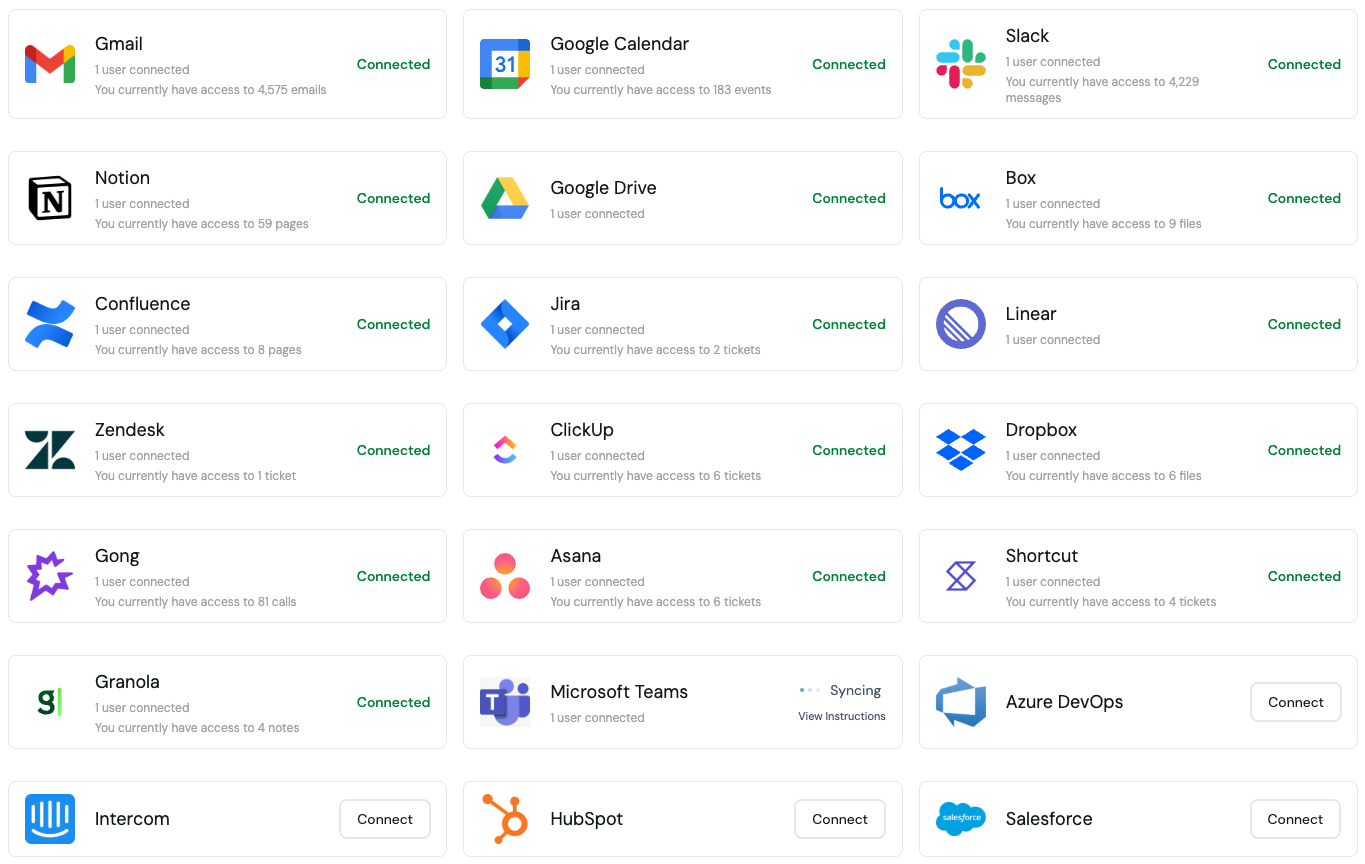
Connect 30+ Applications
Nerve integrates with over 30 popular business applications across communication (Slack, Microsoft Teams), email (Gmail, Outlook), documentation (Google Drive, Notion, Confluence, SharePoint), project management (Jira, Asana, Linear), CRM and sales (Salesforce, HubSpot), support (Zendesk, Intercom), calendar (Google Calendar), and calls (Gong, Granola coming soon). Each integration is designed to work seamlessly with your existing workflows. You can also connect to 5,000+ additional apps through Zapier—Nerve only accesses the data and actions you explicitly authorize within your Zap workflows.Security & Permissions
Mirror Your Existing Permissions
Nerve respects and mirrors the exact permissions you have in each connected application. You get read-only access where you only have read permissions, and full access only where you have complete permissions. Nerve never requests more permissions than you already have, and your data stays protected with enterprise-grade security.Team Content Visibility
When your teammates connect integrations, you may gain access to shared content through Nerve—shared documents and folders, team channels and conversations, public projects and repositories, and cross-team collaboration spaces. This helps create a more connected and informed team environment while maintaining appropriate privacy boundaries.Setup Process
Initial Integration Setup
Start by choosing the 3-5 most important tools for your role. Nerve will request only the minimum permissions needed. After granting permissions, Nerve may be disabled for up to 48 hours during the initial setup while we index your data. Once complete, verify that all integrations are working properly.Adding New Integrations
You can add more integrations at any time from Settings → Integrations or by visiting app.usenerve.com/settings. Click Connect for any app you want to add, follow the authentication flow, and wait for the integration to sync. Syncing may take up to a few hours depending on how much data the connection has.Removing Integrations
To disconnect an integration, go to Settings → Integrations, find the integration you want to remove, click Disconnect, and confirm when prompted. When you remove an integration, Nerve immediately stops syncing new data from that source. Previously indexed data may still appear in search results until it is fully removed from the system. Your permissions and credentials for that integration are revoked, but you can reconnect at any time by following the setup process again.Removing an integration does not delete any data from the original source application—it only disconnects Nerve’s access to that data.
Best Practices
Connect as many integrations as possible early in your setup. This allows Nerve to sync all your data from the beginning, enabling it to find information across all your connected services. More integrations mean better context and more comprehensive search results. Review your connected integrations periodically. Remove unused integrations to keep your workspace clean, and update permissions if your role changes. Coordinate with your team on which integrations to use and ensure everyone understands the privacy settings.Troubleshooting
If an integration isn’t syncing, verify it’s still connected in settings and reach out to support@usenerve.com if the issue persists. If you’re missing data, ensure you have the right permissions in the source app and check if the data is in a shared folder you have access to. Large datasets may take time to index initially, so some slowness is expected when first connecting data-heavy integrations.Need Help?
For integration-specific questions or issues, contact support at support@usenerve.com.Security First: All integrations use OAuth 2.0 and follow industry best
practices for data security. Your credentials are never stored on our servers.